

Introduction: Why MCP Exists (and Why It Matters)
Large Language Models (LLMs) are great at reasoning and generating text, but on their own they’re like a brilliant new employee who has no access badge, no company wiki, and no permission to touch production systems. They can talk about your business—but they can’t see your calendar, query your database, read your private docs, or run your internal tools unless you build custom integrations.
That integration gap has become one of the biggest bottlenecks in practical AI adoption. Teams want assistants that can do real work: pull the latest numbers, create tickets, draft emails using company templates, or safely trigger actions in internal systems. But connecting each model to each tool typically creates a messy web of one-off connectors.
Model Context Protocol (MCP) was introduced to solve exactly this problem: it standardizes how AI applications connect to external tools and data sources—securely, consistently, and in a way that scales.
Definition: What Is Model Context Protocol (MCP)?
Model Context Protocol (MCP) is an open standard that lets AI applications connect LLMs to external data sources, tools, and services through a consistent interface. In practical terms, MCP is a “universal adapter” that helps an AI assistant fetch information (resources), run actions (tools), and reuse prompt templates (prompts) without writing a custom integration for every combination of model and system.
If you’ve ever used a USB-C hub to connect many devices (HDMI, USB, Ethernet) through one standardized port, you already understand the basic idea. MCP aims to be that hub for AI context and actions.
How It Works: A Technical Explanation (Without the Mystery)
MCP is designed around structured communication between an AI host app and external capability providers. Under the hood, it uses a message-based protocol built on JSON-RPC 2.0, which is a simple standard for calling methods with JSON inputs and receiving JSON outputs.
At a high level, the flow looks like this:
- You ask something in an AI application (the “host”).
- The model decides it needs outside help—like querying a database, fetching a document, or creating a calendar event.
- The host uses an MCP client to call an MCP server that exposes those capabilities.
- The MCP server returns structured results (not just text). The host feeds that back into the model as context.
The “M × N” Integration Problem MCP Solves
Before MCP, integration often looked like this:
- You have M models (or model providers / versions).
- You have N tools/data systems (GitHub, Slack, Notion, Postgres, Salesforce, internal APIs).
- Without a standard, you end up building M × N custom connectors.
MCP changes that to something closer to:
- Each tool/system exposes an MCP server once.
- Each host application speaks MCP once.
- Now you can mix and match without rewriting everything.
Diagram (Conceptual): From User Prompt to Tool Result
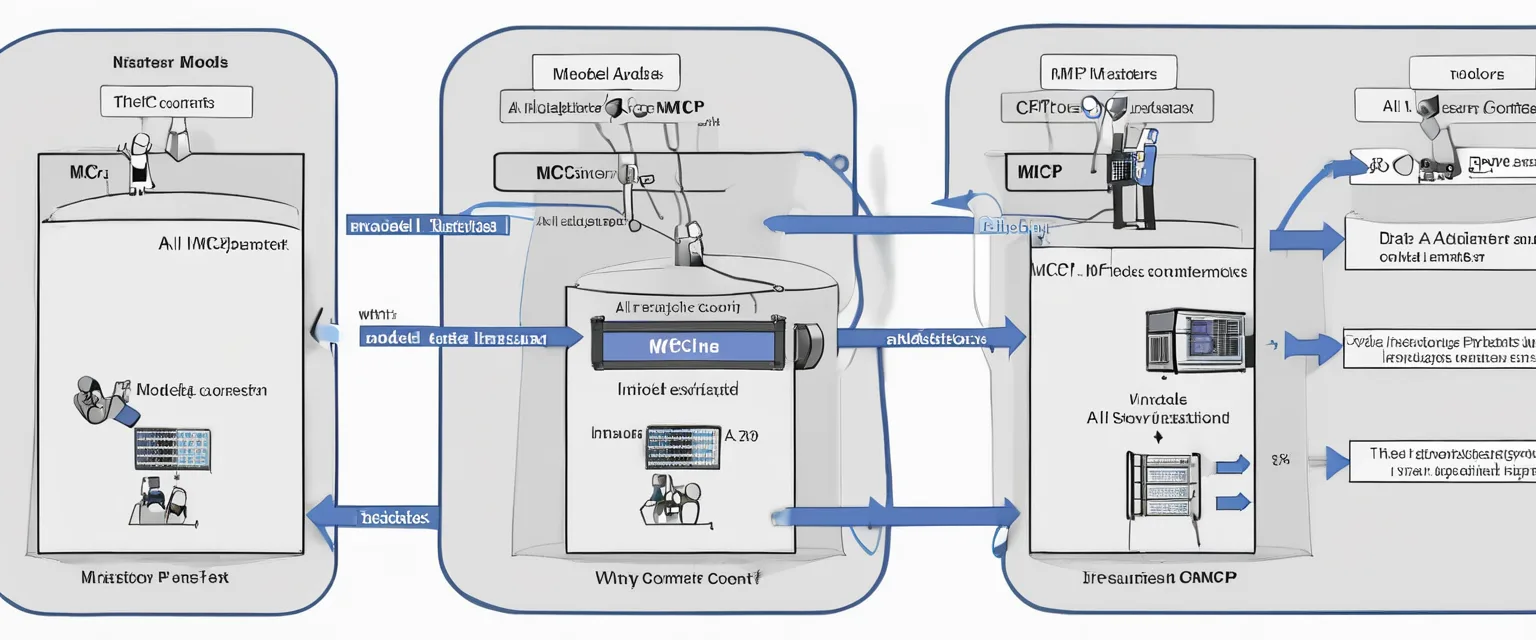
Diagram description: Imagine a left-to-right pipeline. On the far left is “User”. Next is “Host App (LLM + Orchestrator)”. Beneath the host is “MCP Client”. On the right is “MCP Server (Tools/Resources/Prompts)”, and behind it are “External Systems (DBs, SaaS apps, files)”. Arrows show: User → Host → MCP Client → MCP Server → External System and then the results flow back in the reverse direction.
Key Components: The Building Blocks of MCP
MCP is easiest to understand when you separate the roles in the system.
1) Host
The host is the AI application the user interacts with (for example, an IDE assistant, a chat app, or an internal enterprise assistant). The host is responsible for:
- Managing the conversation and user experience
- Deciding when to call external capabilities
- Enforcing permissions and consent
- Sending/receiving MCP messages via clients
2) MCP Client
An MCP client is the connector inside the host that maintains a 1:1 relationship with a server. It handles:
- Connection setup and lifecycle management
- Capability discovery (what tools/resources/prompts exist)
- Packaging requests and parsing structured responses
3) MCP Server
An MCP server exposes capabilities to the host. Think of it as a standardized “toolbox endpoint.” The server can wrap:
- A database query interface
- A file system or document store
- An internal API
- A SaaS integration (e.g., ticketing, CRM)
4) The Base Protocol (JSON-RPC Messaging)
The base protocol defines how requests and responses are structured. Instead of ad-hoc text, you get predictable JSON messages. That predictability matters because it:
- Reduces brittle parsing and prompt hacks
- Makes tool calls auditable and testable
- Improves reliability when models change
5) Core Server Features: Resources, Tools, Prompts
MCP commonly organizes what a server can offer into three capability types:
- Resources: Data the model can read (documents, files, records). This is context you can load into the model’s working memory.
- Tools: Actions the model can request (create an issue, run a query, update a record). Tools return structured outputs.
- Prompts: Reusable templates (for consistent workflows like incident summaries, meeting notes, compliance checks).
Diagram (Conceptual): Capability Types
Diagram description: A three-column table. Column 1: “Resources (Read)” with examples like “policy.pdf”, “customer_record.json”. Column 2: “Tools (Do)” with examples like “create_ticket()”, “query_db()”. Column 3: “Prompts (Guide)” with examples like “weekly_status_prompt”, “postmortem_prompt”. A note at the bottom: “Hosts compose these to create reliable agents.”
Real-World Applications: How People Use MCP in Practice
MCP becomes valuable the moment your AI needs to operate in the real world—where current data, private context, and safe actions matter. Below are practical examples you can adopt for your own benefit.
1) A Personal Work Assistant That Actually Knows Your Week
Goal: Turn a generic AI chat into a planning assistant that can reference your real schedule and notes.
How MCP helps: Connect an MCP server that exposes calendar events as resources and scheduling actions as tools.
Example workflow:
- You ask: “What does my afternoon look like, and where can I fit 45 minutes for deep work?”
- The model uses a tool like
calendar.list_eventsto fetch your schedule. - It proposes options and—if you approve—calls
calendar.create_eventto reserve time.
Benefit to you: Less manual context switching. The assistant isn’t guessing; it’s reading the source of truth.
2) Natural Language Analytics Over Business Data
Goal: Ask questions like “Why did churn spike last month?” without manually writing SQL.
How MCP helps: An MCP server can expose your warehouse as a controlled tool: run_query(sql) or even a safer parameterized query tool. Results come back as structured JSON or tables.
Concrete example:
- User: “Show churn by plan tier for the last 90 days and highlight anomalies.”
- Model: calls
analytics.queryto fetch aggregated results. - Model: explains the trend, flags an outlier period, and suggests next checks.
Misconception to avoid: MCP doesn’t magically make the model “accurate.” It gives the model a safe, structured way to retrieve the right data—accuracy still depends on correct queries, permissions, and validation.
3) DevOps and Incident Response Copilot
Goal: Reduce time-to-diagnosis by letting an assistant inspect logs, metrics, and recent deploys.
How MCP helps: An MCP server can expose tools like:
logs.search(service, timeframe, query)metrics.get(series, timeframe)deployments.list_recent()
Example: During an outage, you ask: “Did errors start after the last deploy? Summarize what changed.” The assistant pulls deploy metadata, correlates error spikes, and drafts a status update using a standard incident prompt template.
4) Design-to-Code and Content Pipelines
Goal: Speed up building UI or content by connecting the model to design files and build tools.
How MCP helps: A design MCP server can expose resources (design specs) and tools (export assets, generate component stubs). A separate code MCP server can run formatting, tests, or scaffolding tools.
Example: “Generate a responsive landing page from the latest design and open a PR.” The model fetches design resources, generates code, runs lint/tests via tools, and prepares a pull request description.
5) Customer Support Assistant with Real Account Context
Goal: Provide accurate, personalized responses grounded in the customer’s plan, usage, and past tickets.
How MCP helps: Connect an MCP server that provides:
- Resources: account details, recent usage, prior conversations
- Tools: create ticket, issue refund request, update customer notes
- Prompts: approved tone/response templates, compliance language
Benefit: Responses are consistent and grounded. You reduce hallucinations by providing authoritative context.
Benefits: Why MCP Is Worth Using
1) Standardization = Less Integration Work
MCP reduces repeated engineering effort. Instead of building a custom plugin format for every tool, you implement MCP once and gain compatibility with a growing ecosystem of servers and hosts.
2) More Reliable Tool Use Through Structured I/O
Because tools return structured outputs, you avoid fragile “copy this text and parse it” workflows. Structured responses make agent behavior easier to test, log, and validate.
3) Future-Proofing Across Model Vendors
MCP aims to decouple your tool integrations from the underlying model provider. If you switch models, you don’t want to rewrite every connector. A stable protocol reduces lock-in at the integration layer.
4) Better Context Management (Not Just Bigger Prompts)
MCP supports the idea that context should be retrieved on-demand from authoritative sources, rather than stuffing everything into one giant prompt. That’s a key step toward scalable, maintainable AI systems.
5) Security and Consent as First-Class Concerns
MCP is designed with explicit user consent and control in mind. Rather than letting an AI model freely call arbitrary APIs, MCP encourages clear boundaries: which servers are connected, what data is shared, and what actions are allowed.
Challenges and Limitations: What MCP Doesn’t Automatically Solve
1) You Still Need Good Tool Design
A poorly designed tool (ambiguous parameters, unsafe operations, overly broad permissions) will produce poor results—even with MCP. MCP standardizes communication, not business logic quality.
2) Permissioning and Governance Are Non-Trivial
In real organizations, the hard part is often: Who can access which data? Under what conditions? How is consent recorded? MCP supports consent-oriented patterns, but you must still implement strong authentication, authorization, and auditing.
3) Latency and Reliability Depend on External Systems
Once your assistant depends on multiple servers (calendar, CRM, database), the user experience inherits all the failure modes of those systems: timeouts, partial outages, inconsistent data.
4) “Agentic” Behavior Needs Guardrails
When models can take actions (create records, send messages, trigger deployments), you need safeguards: confirmations, rate limits, allowlists, and human-in-the-loop checks for high-impact operations.
5) Ecosystem Maturity and Interoperability
As an evolving open standard, MCP adoption and tooling are still growing. Expect differences in server quality, documentation, and operational readiness across implementations.
Future Outlook: Where MCP Is Heading
MCP points toward a more modular AI stack, where models are interchangeable reasoning engines and the real power comes from the tools and data they can securely access.
Here are likely directions:
- Richer ecosystems of MCP servers for common enterprise systems (CRMs, ticketing, docs, data warehouses).
- Better governance and policy layers so organizations can centrally manage what agents may do.
- More sophisticated agent patterns where servers can provide prompts, resources, and workflows that standardize best practices.
- Improved portability across hosts and vendors, making tool integrations a durable asset rather than a one-off project.
In other words: MCP is not just another integration method—it’s part of a broader shift toward “connected AI,” where assistants become useful because they are grounded in live systems and can safely take action.
Conclusion: Key Takeaways
MCP (Model Context Protocol) is an open standard for connecting AI models to external tools and data sources through a consistent, secure interface. It helps teams escape the chaos of one-off integrations by standardizing how AI hosts discover capabilities (resources, tools, prompts) and call them using structured messages.
- MCP is a universal adapter for AI context and actions, built on structured JSON-RPC messaging.
- It reduces integration complexity and makes tool use more reliable and testable.
- It enables real-world assistants—for analytics, support, DevOps, planning, and automation—grounded in live, authoritative data.
- It doesn’t replace good security or good tooling; you still need permissions, governance, and guardrails.
If you want AI that does more than talk—AI that can fetch, verify, and act in your real workflow—MCP is one of the most practical standards to learn and adopt.