

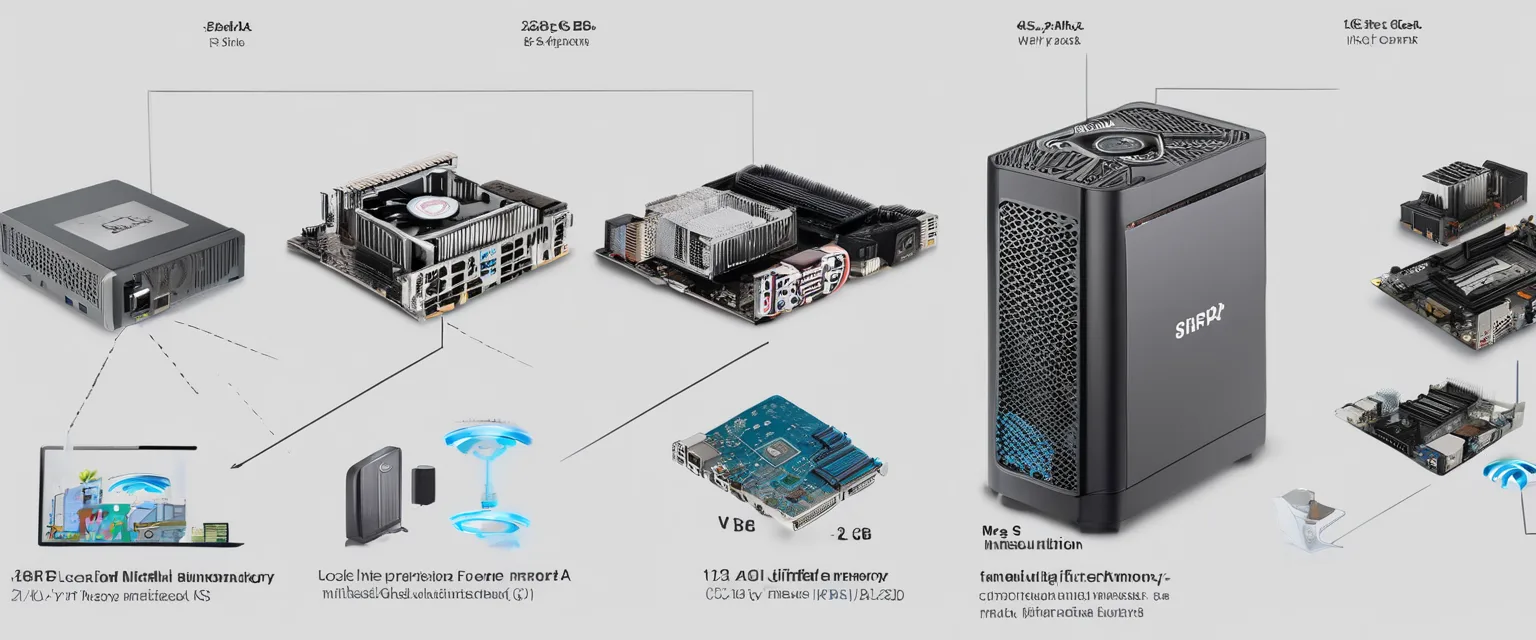
Introduction: Why 128GB Unified Memory Matters for Local AI
Running local AI models has moved from a niche hobby into a practical workflow for developers, researchers, privacy-focused professionals, and power users. The main challenge is memory. Large language models need enough fast memory to load model weights, handle context windows, and run inference without constant offloading to slower storage. That is why 128GB unified memory mini PCs are attracting so much attention.
Unlike a conventional desktop with separate system RAM and GPU VRAM, a unified memory system allows the CPU, integrated GPU, and AI accelerators to access a shared memory pool. For local AI, this can be a major advantage. A typical gaming PC may have 64GB of system RAM but only 12GB or 16GB of VRAM, which limits the size of models that can run fully on the GPU. A 128GB unified memory mini PC gives the integrated GPU access to a much larger memory pool, making it more realistic to run 34B, 70B, and some mixture-of-experts models locally, usually in quantized formats.
The strongest current class for this purpose is the AMD Ryzen AI Max+ 395, often referred to as the Strix Halo platform. Systems such as the Framework Desktop 128GB, Minisforum MS-S1 Max 128GB, and GMKtec EVO-X2 128GB combine large unified memory with compact form factors and AI-focused performance. Apple Mac Studio systems with 128GB unified memory are also relevant for users who prefer macOS and MLX-optimized workflows, although they are less like traditional mini PCs and often sit in a different price and ecosystem category.
This article compares the leading 128GB unified memory mini PC options for local AI models, focusing on practical criteria: memory capacity, GPU access, software ecosystem, I/O, price, efficiency, upgradability, and the types of models each machine is best suited to run.
Quick Comparison Table: Best 128GB Unified Memory Mini PCs for Local AI
| Model | Best For | Processor / Platform | Unified Memory | Key Strength | Main Trade-Off |
|---|---|---|---|---|---|
| Framework Desktop 128GB | Best overall local AI mini PC | AMD Ryzen AI Max+ 395 class | 128GB | Modular design, strong local AI capability, broad appeal | Availability and final pricing may vary by region |
| Minisforum MS-S1 Max 128GB | Best workstation-style mini PC | AMD Ryzen AI Max+ 395 class | 128GB | Excellent I/O, dual 10GbE, USB4 v2, storage/networking flexibility | May be more than casual users need |
| GMKtec EVO-X2 128GB | Best performance-per-dollar candidate | AMD Ryzen AI Max+ 395 class | 128GB | Competitive pricing for large-model inference | Support, thermals, and firmware maturity should be checked before buying |
| Apple Mac Studio 128GB | Best macOS/MLX option | Apple M-series Max/Ultra class | 128GB | Excellent software polish, energy efficiency, MLX ecosystem | Higher cost, less flexible hardware, macOS-centric AI stack |
Short answer: If you want the best all-around 128GB unified memory mini PC for local AI, the Framework Desktop 128GB is the safest recommendation for most users. If you need workstation-grade networking and I/O, choose the Minisforum MS-S1 Max 128GB. If your priority is value, the GMKtec EVO-X2 128GB deserves close consideration. If you are committed to macOS and tools such as MLX, a 128GB Mac Studio may be the better ecosystem choice.
Option 1 Overview: Framework Desktop 128GB
The Framework Desktop 128GB is one of the most compelling compact systems for local AI because it combines a large unified memory pool with Framework’s modular design philosophy. For AI users, the headline feature is simple: 128GB of memory available in a compact desktop that is much more practical for large local models than a conventional mini PC with limited GPU memory.
Framework’s biggest differentiator is not just raw performance. It is the combination of performance, repairability, modularity, and ecosystem transparency. AI workloads evolve quickly. Today, you may be running Llama-family 8B and 13B models. Tomorrow, you may want 34B, 70B, larger context windows, or multimodal models. A system that is easier to service and configure has long-term value.
Why It Works Well for Local AI
The Framework Desktop’s 128GB unified memory configuration gives users the headroom to experiment with larger quantized models. For example, a developer could run a 70B-class model in a 4-bit quantized format for code assistance, document summarization, or local chatbot workflows. Smaller models such as 7B, 8B, 13B, and 14B should be much easier to run with generous context windows and additional applications open in the background.
The Ryzen AI Max+ 395 class is also important because it brings a more GPU-capable integrated design to compact PCs. While it will not replace a high-end NVIDIA workstation GPU for every AI workload, it offers an appealing balance: large memory access, compact size, lower power consumption than many discrete GPU towers, and enough compute to make serious local inference practical.
Best Fit
The Framework Desktop 128GB is best for users who want one compact machine for local LLM experimentation, coding assistants, private document analysis, home AI servers, and general productivity. It is particularly attractive if you value repairability and do not want to be locked into a closed hardware design.
Option 2 Overview: Minisforum MS-S1 Max 128GB
The Minisforum MS-S1 Max 128GB is the strongest option for buyers who want a compact local AI workstation rather than just a small desktop. It is built around the same high-end AMD Ryzen AI Max+ 395 class of hardware, but its appeal is especially strong in I/O-heavy workflows.
For many local AI users, model inference is only one part of the workload. You may also need fast external storage, high-speed networking, multiple displays, remote access, data ingestion, or a home lab environment. This is where the MS-S1 Max stands out. Features such as dual 10GbE networking and high-bandwidth USB4 v2 make it more suitable for users who need to move large datasets, connect fast NVMe storage enclosures, or integrate the mini PC into a larger workstation or server setup.
Why It Works Well for Local AI
Local models often require large model files, vector databases, document stores, embeddings, and repeated reads from fast storage. A strong I/O layout helps reduce bottlenecks outside the model itself. For example, if you are building a private retrieval-augmented generation system for a business document library, high-speed networking and external storage support can matter almost as much as raw inference speed.
The MS-S1 Max 128GB should be well suited for running quantized 70B-class models, smaller models with larger context lengths, and local multi-service AI stacks. A practical setup might include Ollama or llama.cpp for inference, a local vector database, a web UI, and a document ingestion pipeline running together on the same machine.
Best Fit
Choose the Minisforum MS-S1 Max 128GB if you are building a local AI workstation, home lab AI node, small business AI server, or compact machine that needs fast storage and networking. It is especially appealing for users who care about I/O as much as model size.
Feature Comparison: Side-by-Side Analysis
| Feature | Framework Desktop 128GB | Minisforum MS-S1 Max 128GB | GMKtec EVO-X2 128GB | Mac Studio 128GB |
|---|---|---|---|---|
| Memory architecture | 128GB unified memory | 128GB unified memory | 128GB unified memory | 128GB unified memory |
| Local LLM suitability | Excellent for 7B to 70B quantized models | Excellent for 7B to 70B quantized models | Excellent for value-focused 70B experimentation | Excellent with macOS-optimized tools |
| Upgradability / repairability | Strongest advantage | More appliance-like | Depends on configuration and vendor support | Limited after purchase |
| I/O and networking | Good, modular approach | Best overall I/O, especially networking | Good for the price | Strong, but ecosystem-specific |
| Software ecosystem | Windows/Linux local AI tools | Windows/Linux local AI tools | Windows/Linux local AI tools | macOS, MLX, llama.cpp, Ollama |
| Best buyer profile | Most local AI users | Power users and home lab builders | Value-focused enthusiasts | Mac-first professionals |
The most important shared feature is 128GB unified memory. That capacity is the difference between merely running small local models and having enough headroom for serious experimentation. However, the systems differ in philosophy. Framework emphasizes modularity and long-term ownership. Minisforum emphasizes workstation connectivity. GMKtec emphasizes aggressive value. Apple emphasizes ecosystem polish and efficiency.
Performance Comparison: Speed, Accuracy, and Efficiency
Model Size and Practical Capability
For local AI, performance is not just tokens per second. It also includes the size and quality of the model you can load. A 128GB unified memory system can typically handle much larger quantized models than a mini PC with 32GB or 64GB memory. In practical terms, that means users can move beyond small 7B or 13B models and experiment with 34B and 70B-class models.
For example, a 128GB system may run a 70B model in a 4-bit quantization format for private chat, coding help, or research summarization. It may also run smaller models at higher precision or with longer context windows. This can improve output quality because you are not forced to use the smallest possible model or the most aggressive quantization.
Speed
In raw inference speed, none of these compact unified memory systems should be assumed to outperform a desktop workstation with a high-end NVIDIA GPU and large VRAM. A system with an RTX 4090, RTX 6000 Ada, or multiple professional GPUs may still be faster for many AI workloads, especially when CUDA acceleration is central. However, those systems are larger, louder, more power-hungry, and often limited by VRAM unless configured with expensive professional cards.
Among 128GB unified memory mini PCs, the AMD Ryzen AI Max+ 395 class should provide a strong balance of GPU-assisted inference and memory capacity. The Framework Desktop, Minisforum MS-S1 Max, and GMKtec EVO-X2 are likely to perform in the same general class if configured similarly, although cooling, firmware, power limits, and software optimization can affect real-world results.
Accuracy and Output Quality
Hardware does not directly make a model more accurate. Instead, it affects which model you can run and how heavily you need to compress it. A 128GB unified memory PC lets you choose larger models or less aggressive quantization, both of which can improve answer quality in real workflows.
For example, if you are using a local AI assistant for legal document review, software development, or technical writing, a 70B-class model may provide more nuanced answers than a smaller 8B model. Similarly, running a smaller model with a longer context window can improve accuracy for document-heavy tasks because the model can consider more input at once.
Efficiency
Unified memory mini PCs are attractive because they offer strong local AI capability without the power draw and noise of a full GPU tower. Apple systems are often excellent in energy efficiency, especially with macOS-native AI frameworks. AMD Strix Halo systems are compelling because they bring large-memory AI workflows to Windows and Linux users in a compact form factor.
If you plan to run models all day as a local server, efficiency, thermals, and fan noise matter. The Minisforum may appeal to users with home lab needs, while the Framework Desktop may appeal to users who want a balanced daily driver. The GMKtec can be attractive if it delivers similar performance at a lower price, but buyers should pay attention to reviews covering sustained thermals and noise.
Pricing Comparison: Cost Analysis
Pricing can change quickly as new configurations arrive, but the 128GB unified memory tier is still a premium category. Buyers should compare not only the system price but also storage, warranty, operating system, accessories, and support.
| System | Expected Price Position | Value Notes |
|---|---|---|
| Framework Desktop 128GB | Premium but often positioned as accessible for 128GB unified memory | Strong long-term value due to modularity and repairability |
| Minisforum MS-S1 Max 128GB | Premium workstation-style pricing | Best value if you need dual 10GbE, fast I/O, and home lab features |
| GMKtec EVO-X2 128GB | Often positioned as a value flagship | Potentially strong performance-per-dollar, but verify support and thermals |
| Mac Studio 128GB | High premium | Best value mainly for users already invested in macOS and Apple AI tools |
The GMKtec EVO-X2 has been discussed as one of the more aggressive value options in this class, with 128GB configurations positioned below some premium alternatives. However, value is not just the lowest price. For AI workloads, stable drivers, BIOS updates, thermal performance, and warranty support are important. A cheaper system that throttles under sustained inference or has limited software support may not be the best long-term purchase.
The Framework Desktop may be the best value for users who care about longevity and repairability. The Minisforum MS-S1 Max may justify a higher price if you need its networking and I/O. The Mac Studio can be worth it for professionals who already rely on macOS apps and want a polished local AI environment, but it is less flexible from a hardware perspective.
Use Case Scenarios: When to Choose Each
Choose Framework Desktop 128GB If You Want the Best Overall Local AI Machine
The Framework Desktop is the easiest recommendation for most local AI users. It is suitable for developers running code models, researchers testing open-weight LLMs, writers using private AI assistants, and enthusiasts who want to experiment with larger models without building a GPU tower.
Example: A software developer wants to run a local coding assistant, test Llama-family models, keep proprietary code private, and use the same machine for daily productivity. The Framework Desktop 128GB offers a balanced mix of memory, performance, size, and maintainability.
Choose Minisforum MS-S1 Max 128GB If You Need AI Workstation I/O
The Minisforum MS-S1 Max is better for users who think of local AI as part of an infrastructure stack. If your workflow includes network storage, multiple users, large document collections, fast external drives, or home lab integration, its I/O advantages become important.
Example: A small business wants to run a private RAG system over internal PDFs, connect the machine to fast network storage, and allow several employees to query a local model. The MS-S1 Max is better suited to this workstation/server-style role.
Choose GMKtec EVO-X2 128GB If You Want Maximum Memory for the Money
The GMKtec EVO-X2 is appealing if you want access to the 128GB Strix Halo class at the most competitive price. It may be a strong choice for enthusiasts, students, and budget-conscious AI experimenters.
Example: An AI hobbyist wants to run 70B quantized models locally and is comfortable tuning software, checking firmware updates, and reading community feedback before purchase. The EVO-X2 may deliver excellent value if its cooling and support meet expectations.
Choose Mac Studio 128GB If You Prefer macOS and MLX
Mac Studio is not the most traditional mini PC option, but it remains relevant because Apple’s unified memory architecture is mature and efficient. It is especially attractive for users who prefer MLX, macOS development tools, and Apple’s broader creative ecosystem.
Example: A video editor and AI researcher wants to run local models, use Final Cut Pro, develop in Python, and stay entirely within macOS. A 128GB Mac Studio may be the cleanest workflow despite its higher cost and limited upgradability.
Pros and Cons: Strengths and Weaknesses
Framework Desktop 128GB
Pros:
- Best overall balance for most local AI users
- 128GB unified memory supports large quantized models
- Modular and repairable design improves long-term ownership
- Good fit for Windows and Linux AI tools
- Compact enough for desk or home lab use
Cons:
- Not necessarily the fastest option versus large discrete GPU workstations
- Availability and pricing may vary
- Final performance depends on cooling, drivers, and software support
Minisforum MS-S1 Max 128GB
Pros:
- Excellent I/O for AI workstation and home lab workflows
- Dual 10GbE and high-speed external connectivity are major advantages
- Strong platform for RAG systems and local AI services
- Compact alternative to a larger AI server
Cons:
- May be overkill for casual users
- Potentially higher cost depending on configuration
- Less modular in philosophy than Framework
GMKtec EVO-X2 128GB
Pros:
- Strong performance-per-dollar potential
- 128GB unified memory makes large-model experimentation practical
- Good choice for technically confident buyers
- Competitive alternative to more expensive premium systems
Cons:
- Vendor support and firmware maturity should be verified
- Thermal and noise performance may vary by design
- Less differentiated if pricing rises close to Framework or Minisforum
Mac Studio 128GB
Pros:
- Excellent energy efficiency and system polish
- Strong macOS AI software ecosystem, especially MLX
- Good choice for creative professionals who also run local AI
- Quiet and compact for its performance class
Cons:
- Higher price in many configurations
- Limited post-purchase upgradeability
- Less suitable if your workflow depends on Windows, Linux, or CUDA-specific tools
Verdict: Best Recommendations by Need
| Recommendation | Best Choice | Why |
|---|---|---|
| Best overall 128GB unified memory mini PC for local AI | Framework Desktop 128GB | Best balance of memory, flexibility, usability, and long-term ownership |
| Best compact AI workstation | Minisforum MS-S1 Max 128GB | Superior I/O and networking for serious local AI infrastructure |
| Best value-focused option | GMKtec EVO-X2 128GB | Potentially the most affordable route to 128GB Strix Halo-class AI |
| Best macOS option | Mac Studio 128GB | Ideal for MLX users and Apple-first workflows |
| Best for maximum speed regardless of size | Discrete GPU workstation | A high-end NVIDIA GPU tower may still be faster, but it is not as compact or memory-flexible |
For most buyers asking which 128GB unified memory mini PC is best for running local AI models, the answer is the Framework Desktop 128GB. It offers the most balanced package and is especially attractive if you want a machine that can evolve with your needs.
The Minisforum MS-S1 Max 128GB is the better pick if your local AI workloads involve fast networking, external storage, or server-like usage. The GMKtec EVO-X2 128GB is the option to watch if price is the main constraint and you are comfortable validating real-world reviews before buying. The Mac Studio 128GB remains a strong alternative for macOS users, but it is less flexible for buyers who want a Windows or Linux mini PC.
Conclusion: The Best 128GB Unified Memory Mini PC Depends on Your AI Workflow
128GB unified memory is a meaningful threshold for local AI. It gives users enough headroom to run larger quantized models, experiment with longer contexts, and keep supporting services open without constantly fighting memory limits. For local LLMs, that flexibility can matter more than chasing peak benchmark numbers.
The best overall choice is the Framework Desktop 128GB because it combines serious local AI capability with modularity and a user-friendly ownership model. The Minisforum MS-S1 Max 128GB is the best workstation-style option for users who need high-speed networking and I/O. The GMKtec EVO-X2 128GB may be the best performance-per-dollar choice if reviews confirm strong sustained performance. The Mac Studio 128GB is best for users who are already committed to Apple’s ecosystem and want a polished, efficient local AI setup.
Before buying, decide what matters most: model size, inference speed, software compatibility, networking, noise, price, or upgradeability. Also check current reviews for thermals, driver support, Linux compatibility, and real-world tokens-per-second performance in the tools you plan to use, such as Ollama, llama.cpp, LM Studio, vLLM-compatible stacks, or MLX. Products in this category are changing quickly, but as of now, a 128GB Ryzen AI Max+ 395-class mini PC is one of the most practical ways to run serious local AI models without moving to a large GPU workstation.